
What is SCAD Maps
One shared map for the people, places and moving parts of your event: what it does, who uses it and how the pieces fit together.
SCAD Maps is a shared, live map for running an event or a site. Everyone on the team sees the same venue plans and the same pins, and a change made by one person appears on every other screen within moments. Instead of relaying information over radio, spreadsheets and photo threads, the crew attaches it to the place it concerns.
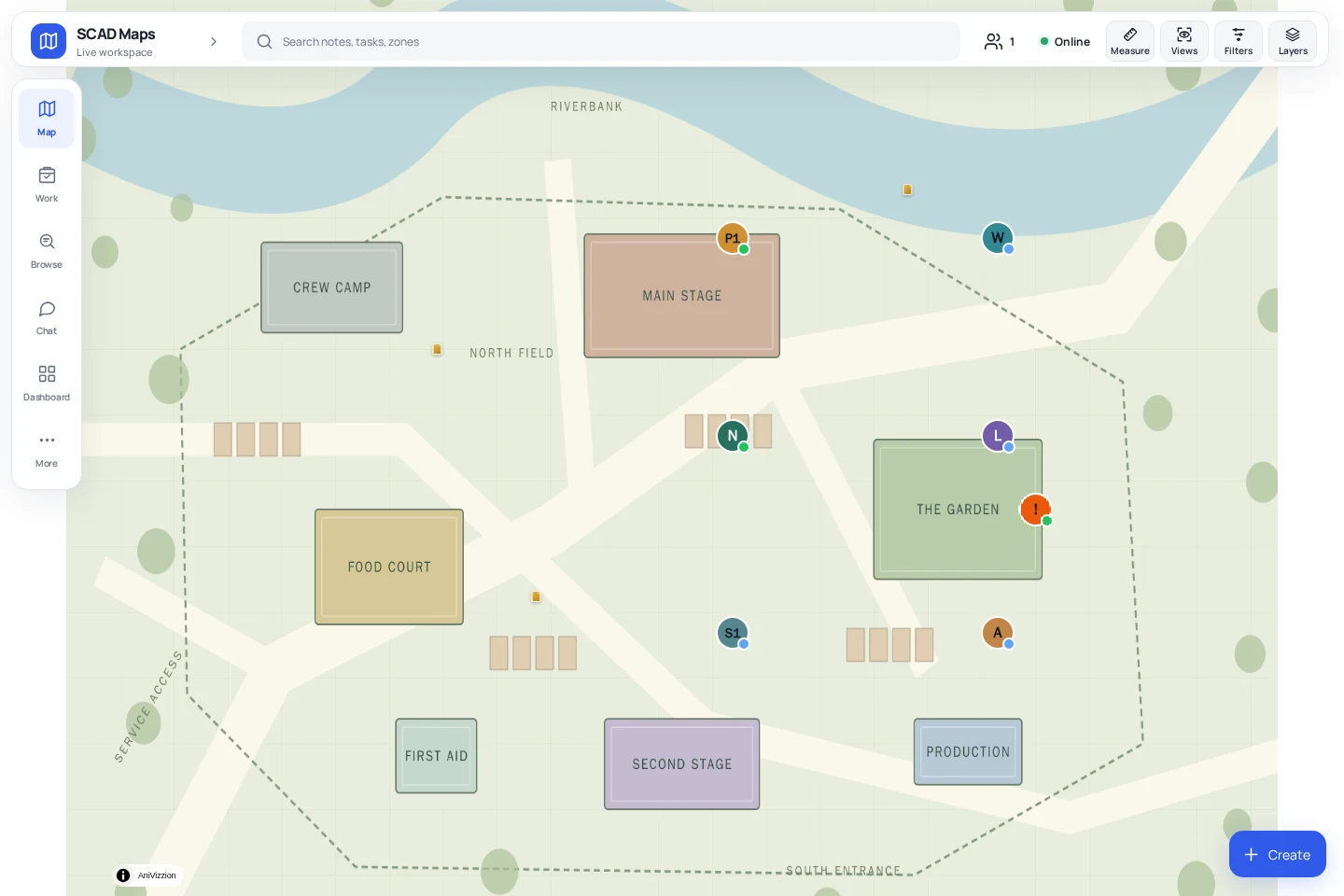
What you can do with it#
- Pin information to a place with notes: text, photos, documents and checklists.
- Assign and track work with tasks that have an owner, a priority, a deadline and a checklist.
- Respond to problems with incidents that carry a priority, an acknowledgement and an optional response clock.
- Draw boundaries such as stages, camping fields, hazards and restricted zones as areas, with optional entry alerts and capacity limits.
- Talk to the team in chat channels, direct messages and voice notes.
- See where people are when they choose to share their live location.
- Keep working offline once venue maps are downloaded to the device.
Who uses it#
| Person | Typical use |
|---|---|
| Crew and volunteers | Read the map, tick off checklists, work through My work, report what they see with a note or an incident. |
| Coordinators and team leads | Create and assign tasks, draw areas, watch incidents and keep the picture current. |
| Administrators | Create accounts, define groups, publish map layers, review requests, export data. |
| Visitors with a guest link | View the map, and where the link allows it, add notes. Guests never see chat or tasks. |
What each person sees is controlled by an access level and by custom groups. The full list is in the permissions matrix.
How it is delivered#
SCAD Maps runs in the browser on a desktop, tablet or phone, and can be installed to the home screen as an app. There is nothing to download from an app store for the web version. Each event has its own instance with its own address, its own data and its own users, so one event never sees another event's information. See Architecture overview for the technical picture.
Where to go next#
- New to the app: Quick start.
- Want the vocabulary first: Core concepts.
- Setting up an event: The admin dashboard and Users, roles and access levels.
- Preparing floor plans: Preparing venue maps.